Tampilkan postingan dengan label PES 2016. Tampilkan semua postingan

How To Install New Faces In PES 2016 Tutorial By Dosho2

How To Install Faces In PES 2016


How To Install Faces In PES 2016 – Tutorial by dosho2


How To Install New Faces to Fake Players In PES 2016 – Tutorial by dosho2

How To Install Faces In PES 2016 Instructions:
1- Download face.cpk
2- Copy to: x86/Pro Evolution Soccer 2016/download
3- Use DpFileList
4- Click ‘Check all’ after “Generate”
5- Enjoy!
How To Install New Faces to Fake Players In PES 2016 Instructions:
1- Create a folder name ‘facelink’
2- Get anymore ID Player – Ex:54683
3- Download new face .cpk – http://www.pes-patch.com/
4- Decrypter face with CRI File System
5- Rename 54720 folder to new ID 54683
6- Rename facelink to new ID 54683
7- Drag common folder to ‘54683’ folder
8- Use CRI to crypter archives again
9- New cpk file created
10- Create folders: bundesfaces/common/character0/model/char­acter/face/real
11- Put new cpk file created inside ‘real’ folder
12- Finish using CRI
13- Copy bundesfaces.cpk to – download folder (x86/PES2016/download)
14- Use DPFileList to apply new face and ENJOY!

More Tags:

pes 2016 install, pes faces 2016, Pes2016 puts download, pes 2016 pc face how to insert into ge, PES2016 face install, pes2016 face full pack, caligula face pes patch 2016, pes 2016 pc vardi face, pes 2016 ps4 how to import faces
Team Editor Manager Beta 2.0.0 by lagun-2 For PC XBOX PS3

Team Editor Manager Beta 2.0.0 by lagun-2 For PC XBOX PS3

Team Editor Manager Beta 2.0.0 by lagun-2 For PC XBOX PS3

[PC/XBOX/PS3] Team Editor Manager 2016 beta 2.0.0 - ADD PLAYERS – 

Download Team Editor Manager 2.0.0 Preview Team Editor Manager v2 by lagun-2

zippyshare
Supported platforms: PC/PS3/XBOX
DLC: 2.0
Version 2.0.0 General Features:
Edit the file .bin:
– CompetitionEntry.bin
– Player.bin
– PlayerAssignement.bin
– Team.bin
– Boots.bin
– Stadium.bin
– Ball.bin
– Country.bin
– Boots.bin
– Coach.bin
Country.bin:
– Reading of all country in the files
– ID Preview
– Continent Preview
Team.bin:
– Reading of all teams in the files
– Type of team
– Emblem/Flag preview
– ID team/nationl
– Team name
– Short name
– Home stadium
– Country
– License team
– Search team on PSD
– Remove fake teams names
– Add new team
– Add new national
– Other leagues
– Formation preview
– Captain, penalty kick taker, long foul taker, left corner kick taker, short foul taker, right corner kick taker
– Auto-create logos teams
– Export team list as .txt, .ini, .csv
– Export emblem/flag as .png, .bmp, .jpeg, .gif, .ico
– Import team list as .txt, .ini
CompetitionEntry.bin
– Reading of all teams in competitions in the files
– Add new teams/national
Coach.bin
– Reading of all coaches in the files
– Coach preview
– Coach ID
– Coach name
– License coach
– Coach nationality
– Export coach list as .txt, .ini, .csv
– Export image as .png, .bmp, .jpeg, .gif, .ico
Player.bin
– Reading of all players in the files
– Player preview
– ID player
– Name
– Shirt name
– Nationality
– Player styles
– Age
– Height
– Weight
– Positions
– Stats
– Players skills
– COM playing styles
– Player’s motions
– Adjust Abilities
– Add new player/s
– Export player list as .txt, .ini, .csv
– Export image as .png, .bmp, .jpeg, .gif, .ico
– Import player list as .txt, .ini
PlayerAssignement.bin
– Reading of all players assignement in the files
– team and national preview
Boots.bin
– Reading of all boots in the files
– Boot preview
– Brand preview
– ID boot
– Boot name
– Material
– Color
– Export boots list as .txt, .ini, .csv
– Export boot as .png, .bmp, .jpeg, .gif, .ico
– Import boot as .png, .bmp, .jpeg, .gif, .ico
– Import boot list as .txt, .ini
Stadium.bin
– Reading of all stadiums in the files
– Stadium preview
– ID stadium
– Stadium name
– Export stadium as .png, .bmp, .jpeg, .gif, .ico
– Import stadium as .png, .bmp, .jpeg, .gif, .ico
– Import stadium list as .txt, .ini
Ball.bin
– Reading of all balls in the files
– Ball preview
– ID ball
– Ball name
– Export ball as .png, .bmp, .jpeg, .gif, .ico
– Import ball as .png, .bmp, .jpeg, .gif, .ico
Extra Features
– Auto extract file
– Auto search files
– Cpk Mode (Compatible with DLC and Patch)
– Add profiles unlimited
– Add Global Settings
– unzlib/zlib file – Pes 14/15/16
– Multiconverter (console support)
– Auto delete but BACKUP edit.bin (option file)
– Auto dds convert with NvidiaCompress
– Backup files
– Utility: stadiums id, teams id, players id
Others
– Check for updates
– Special characters
– Uppercase letter and lowercase letter
– Filter List players/teams/stadiums/boots/balls by ascending order, DB file
– Support forum: english – lagun-2.blogspot.it, evo-web
Other Changes
– New design
– Improve the tool
– Fix bugs
– Improved search of the players, teams, stadiums, boots, balls
[FIX BUGS]
– fix add new team/s
– fix add new national
– fix add new player/s
– fix screen resolution
– fix save mod
– fix reading player
TO DO LIST
– Fix bugs
– Logo Manager
add add1
REQUIREMENTS:
You need to install the Microsoft .NET Framework.
CREDITS:
Designed and developed by lagun-2
player.bin decoding: special thanks to vadim_95 but also to Fatih Kuyucak, razor87 , smeagol75, Mustafa U.
Multiconverter by smeagol75
Unidecode characters by Rasuna
auto unzlib/zlib by sxsxsx
Tutorial 2014 by teams Razib_46
Team ID by Albiore
Players list by sxsxsx
and thanks to Marcéu Produções for having tested constantly the tool

More Tags:

download team editor lagun, PES 2016 Team Editor Manager V2 0, PES 2016 Team Editor Manager V2 2, team edit manager 2016 2 0 0 by lagun 2, team editor manager 2 0
Download New PES 2016 Super Pro Patch by Proegy

Download New PES 2016 Super Pro Patch by Proegy

PES 2016 Super Pro Patch by proegy


Download PES2016 Super Pro Patch by proegy Preview Super Pro Patch

FEATURES:
– add New game play
– improvement Goalkeepers
– improve the movement of players
– it improves the strength of the shot
– improving Defense
– improve AI header
– improvement the free kick and penalty
– add the Egyptian league full
– add the Algerian league full
– add full bundesliga
– add full Premier League
– add stadiums arabian and brazilian : maracana stadium and cairo stadium and Stadium martyr Faisal Husseini, the Palestinian
– correct names of all the teams and players
– the last Transfers by 98%
– add new ads, private clubs ads
– add your ads in the form of the flag of Palestine
– making full graphics special page for the game Pro EGY and Inter team
– add new 3000 face
– The latest hairstyles for players
– ADD SCOREBOARD OF THE Premier League emblem BEIN SPORT AND PRO EGY PAGE
– ADD NEW 100 BOOTS
– Correct formations most of the big teams
– add the missing kit 2016
– add new 50 balls
– add new Tattos Player
– add new turf
– Improved crowd
– Add new tournaments: ADD audi International cup 2018 World Cup in Russia copa america 2015 International African Nations Cup
– add new emblemHD
– add special EMBLEM page in HD
– add new encouragements crowd
– add the national anthem for most teams
– correction KIT teams
– correction teams lineup
– correction emblem teams
mediafire zippyshare

Download Update PES 2016 Classic Patch v0.1 by Lagun-2 Released 18.01.2016


Download Update PES 2016 Classic Patch v0.1 by Lagun-2 Released 18.01.2016FEATURES:
General
– Compatible with DLC 2.0
– New launcher

Teams
– 20 new teams
– Licensed teams
– Teams names in small
– Correct shirt names
– Correct formations
– Correct teams numbers
– Correct captains, penalty kick taker, short foul taker, long foul taker, left corner kick taker and right corner kick taker

Players
– 518 new players
– Add 21 faces
– Players names in small

Leagues
– New logos teams (English League)
– New logos competition (English League)

Graphics
– New menu

Stadiums
– New turf
– Coach and jimmy cam animations

Team list
English League:
Arsenal 88-94
Arsenal 96-06
Aston Villa 80-82
Birmingham 54-63
Celtic 66-70
Chelsea 04-07
Dundee United 82-87
Everton 84-87
Ipswich 76-82
Leeds 61-75
Leicester City 15-16
Liverpool 77-90
Man City 68-70
Man Utd 90-99
Middlesbrough 05-06
Nottingham Forrest 77-80
Rangers 88-97
Tottenham 64-87
West Ham 63-76
Wolves 53-60

Download Update PES 2016 Classic Patch v0.1 by Lagun-2 Released 18.01.2016
zippyshare
This is a beta, you report errors so that they are corrected. There are scheduled more than 200 teams.
KNOWN BUGS:
– kits are not real
– callnames wrong

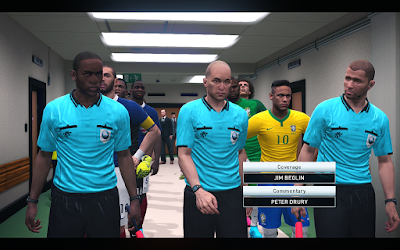
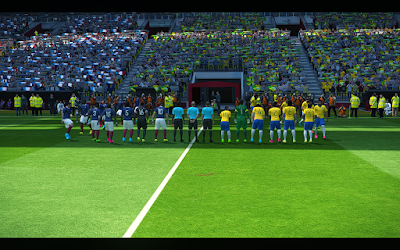
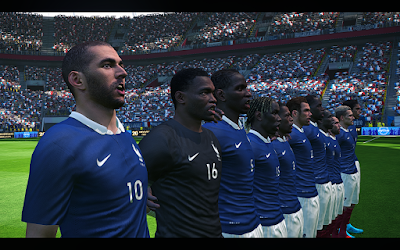
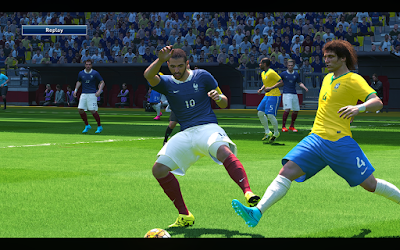
Tutorial Cara Membuat Graphics PES 2016 PC Menjadi Seperti Versi PS4

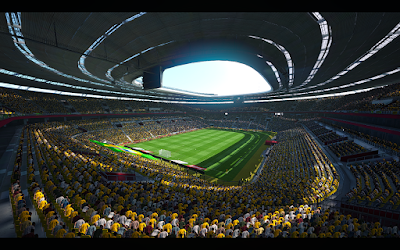
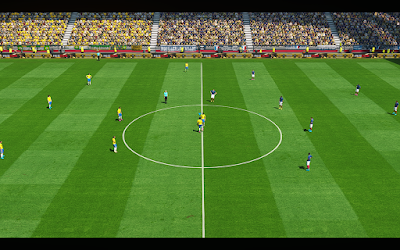
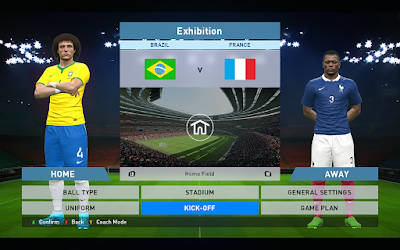
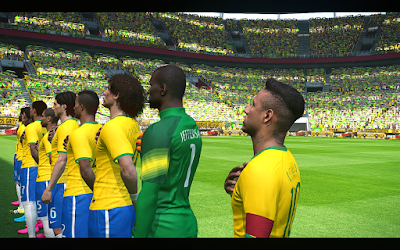
Tutorial Cara Membuat Graphics PES 2016 PC Menjadi Seperti Versi PS4  - PES 2016 sudah rilis, namun para pemain PES 2016 versi PC sedikit kecewa dengan rilisnya PES 2016 PC Version itu. Itu dikarenakan grafik yang disuguhkan berbeda dengan yang ada di konsol Playstation 4. Memang Konami sudah pernah berkata bahwa PES 2016 PC akan memiliki grafik yang berbeda dengan versi konsol, namun tetap saja hal itu membuat gamers kecewa.

Namun jangan khawatir, karena pagi ini saya akan membagikan cara agar PES 2016 PC Version kalian bisa memiliki tampilan yang sama dengan PES 2016 PS4 version, tentu saja dengan sweet fx. Grafik yang disuguhkan nanti akan menjadi like real, atau seperti nyata. Namun disini yang perlu digaris bawahi adalah sweet fx yang saya bagikan kali ini bukan untuk PC yang memiliki spesifikasi Mid-Low karena memang grafik yang dihasilkan sweet fx ini sama dengan yang di PS4. Jadi spesifikasi yang dibutuhkan juga pasti tinggi. Jika kalian ingin mencobanya tidak masalah, mengingat ukuran file-nya hanya 20 MB. Jika penasaran dengan screenshots-nya, lihat screenshots dibawah, hasil PES 2016 saya + Sweet FX.


Screenshots :
Cara Membuat Graphics PES 2016 PC Menjadi Seperti Versi PS4

Cara Membuat Graphics PES 2016 PC Menjadi Seperti Versi PS4

Cara Membuat Graphics PES 2016 PC Menjadi Seperti Versi PS4

Cara Membuat Graphics PES 2016 PC Menjadi Seperti Versi PS4

Cara Membuat Graphics PES 2016 PC Menjadi Seperti Versi PS4

Cara Membuat Graphics PES 2016 PC Menjadi Seperti Versi PS4

Cara Membuat Graphics PES 2016 PC Menjadi Seperti Versi PS4

Cara Membuat Graphics PES 2016 PC Menjadi Seperti Versi PS4


How to Install

  1. Extract file yang sudah didownload
  2. Masuk ke folder "Pro Evolution Soccer 2016" di file hasil extract tadi
  3. Copy semua file yang ada ke folder direktori PES 2016 kalian
  4. Done

Download Links

Pass : www.einfache-besten.com

Semoga dengan postingan diatas yang berjudul Tutorial Cara Membuat Graphics PES 2016 PC Menjadi Seperti Versi PS4 dapat bermanfaat.